
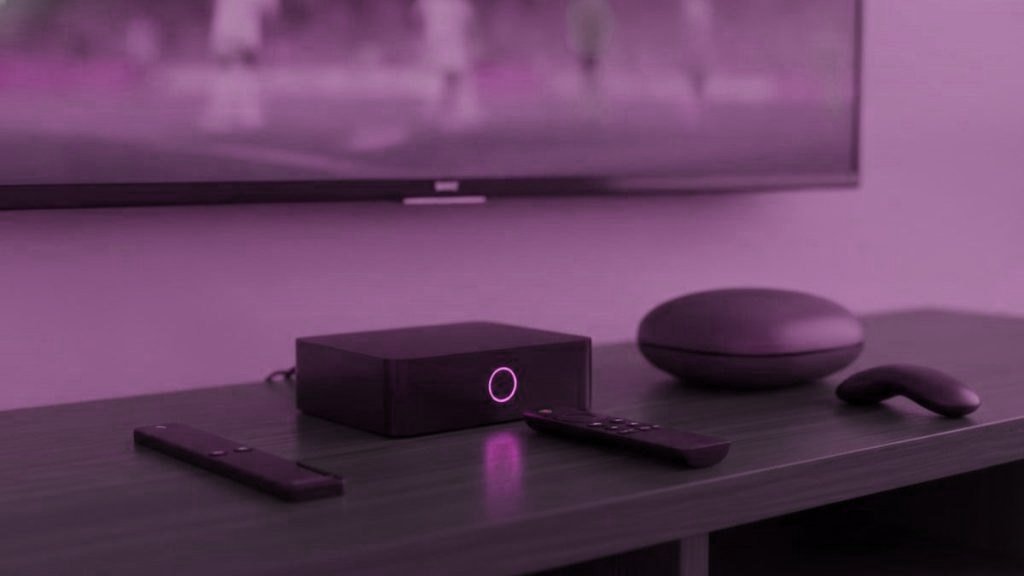
Playing the picture is the easy part; nearly any streaming device sold in the last few years manages it. The guide is where hardware shows its price. A list of 25,000 channels with several days of listings attached is a lot of data to hold, sort and redraw each time you press down on the remote, and a box that is short of memory makes you wait at exactly the moment you are trying to decide what to watch.
So rather than ranking boxes by their specification sheets, this page ranks them by how the guide behaves on them: how much memory it has to work with, how quickly it redraws the grid, whether the remote has the buttons a guide wants, whether it takes a network cable, and whether it outputs the 4K feeds you may be paying for.
The short version
Try the free trial on what you already own first. If you are buying: a Fire TV Stick 4K Max (about $60, often less) for most televisions; a Formuler Z11 Pro Max (about $190) for a main TV used every evening; an Nvidia Shield (about $150, or $200 for the Pro) for the most headroom on Android TV. Skip the Fire TV Stick Lite if you want 4K, and skip Roku altogether.
What a 25,000-channel guide asks of an IPTV box
| Check | Why the guide cares | What to accept |
|---|---|---|
| Memory | The channel list and its listings are held in memory while you scroll; run short and the grid stalls or the app reloads | 2 GB at the very least, 4 GB to be comfortable |
| Processor | Every press of the remote redraws part of the grid | A current chip; a few quick cores beat a crowd of slow ones, so ignore the core count |
| Remote | A guide is driven with the arrows, a guide button and, on dedicated boxes, color buttons for favorites and EPG views | Color buttons on the main TV; a streaming remote elsewhere |
| Ethernet | Listing downloads and live streams both do better on a cable than on distant Wi-Fi | A built-in port, or a $10 to $15 adapter for a stick |
| 4K output | Only matters for the 4K feeds | 4K on a 4K panel; 1080p is fine on a smaller HD set |
Memory is the one to be strict about. Below 2 GB, a list this size crawls; with 4 GB the grid has room to breathe. And whatever you buy, trimming the list helps: every channel group you hide is one the box no longer has to sort through as you scroll.
The shortlist, judged on the guide
| Box | Price, roughly | Guide app | Ethernet | 4K | Remote |
|---|---|---|---|---|---|
| Formuler Z11 Pro Max | About $190 | MyTVOnline built in; TiViMate also runs | Gigabit, built in | Yes | IPTV remote with color buttons |
| Nvidia Shield TV / Shield TV Pro | About $150 / about $200 | TiViMate from the Play Store | Built in | Yes, with HDR | Streaming remote |
| Fire TV Stick 4K Max | About $60, often discounted | TiViMate (sideloaded) or IPTV Smarters | Adapter needed | Yes | Streaming remote |
| Fire TV Stick Lite | About $30 | TiViMate (sideloaded) or IPTV Smarters | Adapter needed | No: 1080p ceiling | Streaming remote |
| onn. 4K Pro | About $50 | TiViMate from the Play Store | Built in | Yes | Streaming remote |
| MAG 5xx series | About $120 to $160 | The portal’s own guide; no TiViMate | Built in | Yes | Color buttons |
| Roku | About $30 to $100 | No TiViMate, few other players | Some models | Some models | Streaming remote |
Formuler Z11 Pro Max: built around the channel list
Like the MAG boxes further down, the Formuler was designed around a channel list rather than around streaming apps, and it shows in the details a guide depends on. Formuler’s own MyTVOnline player takes either a portal address or the standard Xtream login. The remote carries color buttons for favorites and the EPG, the keys a guide is built to use. And 4 GB of memory plus gigabit Ethernet give a list of this size the room it needs. And unlike a MAG it leaves you a choice of guide, because it runs Android players such as TiViMate as well.
The case against is price. At about $190 it costs three to five times as much as a stick, which is easy to justify on the television you sit in front of every evening and hard to justify in a spare room. Setup, by portal or by Xtream login, is in the MAG and Formuler guide.
Nvidia Shield: the most headroom, a plain remote
The Shield is the quickest Android TV hardware on this list and handles 4K HDR without hesitation. For the guide, that speed is headroom: it has more processing power in reserve than any stick, which is exactly what a large grid benefits from. TiViMate comes from the Play Store like any other app, and Ethernet is built in.
What it lacks is a guide-shaped remote. Navigation is by the arrow keys, with no color buttons, which suits TiViMate’s grid well enough. At about $150, or $200 for the Pro, it is more machine than a guide needs; it makes sense if the same box also has to handle a media library or games. The Android TV guide covers installation.
Fire TV Stick 4K Max: the sensible default, with two chores
At about $60 full price, and discounted by Amazon several times a year, the 4K Max is where most people should start if the television needs something plugged in. It outputs 4K and runs both IPTV Smarters and TiViMate. The two chores: TiViMate has to be sideloaded because Amazon does not list it, a five-minute job with Downloader that the Firestick guide takes you through; and the stick has no Ethernet port, so on a main set far from the router, add the adapter.
It has 2 GB of memory against the Formuler’s 4 GB, so it rewards a trimmed list more than the dedicated boxes do. Hide the country groups you never open and the guide has far less to redraw every time you move.
Fire TV Stick Lite: fine in a bedroom, capped at 1080p
The Lite runs the same Fire OS and takes the same setup steps, so every app and every guide feature on the 4K Max is here too. Its limit is output: it stops at 1080p, so if you pay for 4K feeds you will not see them in 4K through this stick. It also has less memory than the 4K Max, so cut the list down to the groups you actually watch before judging how the guide feels. On a small set in a bedroom or kitchen, where the panel is HD anyway, none of that matters, and at about $30 it is a cheap way to give an old television a current guide.
MAG boxes: the guide lives on the portal
A MAG does not run apps in the usual sense. It loads a portal address bound to the box’s MAC, which is printed on the label underneath and starts 00:1A:79. You send that MAC on WhatsApp, we switch the portal on, and after a restart the box shows the channels in its built-in guide. There is nothing to sideload or update, and the color buttons on the remote take you to favorites and the EPG. The trade-off is choice: TiViMate does not run on a MAG, so the portal’s guide is the one you live with. The 5xx series sells for about $120 to $160. If the screen says “STB blocked”, the MAC has not been activated yet or a character was wrong; send a photo of the label instead of retyping it.
onn. 4K Pro and other Android boxes: read the memory, not the cores
Walmart’s onn. 4K Pro, at about $50, covers everything a guide asks for: 3 GB of memory, an Ethernet port, 4K output and the Play Store, so TiViMate installs without sideloading. If you already own a Chromecast with Google TV, it takes the same apps from the same store.
For any other Android box the checklist is short. Two gigabytes of memory as the floor and four by preference. A certified Android TV build rather than a phone build, otherwise the Play Store hides the TV apps. An Ethernet port. And a brand you recognize, because unbranded boxes frequently ship with modified firmware of unknown origin. Take the core counts in listings with a pinch of salt.
Roku: no TiViMate, no sideloading
Roku makes good hardware for mainstream streaming. For this job, though, it allows nothing to be sideloaded, and the established players are mostly missing from its store; TiViMate is absent entirely. The IPTV Smarters Player channel turns up in some regions and disappears without warning, and mirroring from a phone works but ties the phone up for the evening. If a Roku is already on the television, the Roku guide covers both methods. If you are buying for this purpose, buy something else.
Check what is under the television first
Many homes need no box at all. Any Samsung or LG television made in 2016 or later can install IPTV Smarters or Smart IPTV straight from the television’s store (see the Samsung and LG guides). Android TV sets from Sony, TCL, Hisense and Philips install TiViMate from the Play Store. An Apple TV runs IPTV Smarters Player or iPlayTV. A phone or laptop will do for a first look. Run the 24-hour trial on whichever you have, open the guide at the hour you normally watch, and only buy hardware if the guide is slow, the remote awkward or the television has no suitable app.
A cable before a new box
If the complaint is stutter rather than a sluggish guide, a new box is usually the wrong purchase. Stutter tends to be the network’s fault: a stick tucked behind the television, two rooms from the router, sharing the Wi-Fi with everything else in the house. An Ethernet adapter at about $10 to $15 fixes more of that than any box upgrade, and a $190 box on the same weak Wi-Fi meets the same wall. Try the cable first.
Boxes to leave on the shelf
- Fully loaded boxes. Hardware that arrives with IPTV apps and a “lifetime” subscription already loaded is selling something nobody can guarantee. These boxes typically stop within weeks, many run modified apps, and some have come with malware.
- No-name boxes with heroic specifications. Listings for unbranded boxes routinely overstate what is inside, and the firmware is of unknown origin.
- Roku, for this job. Fine for mainstream apps, a poor home for a 25,000-channel guide.
The safe route is dull on purpose: an ordinary device from an ordinary shop, a player you install yourself, and a subscription with a trial and a refund window.
Matching the box to the room
| Room | What to use | Why |
|---|---|---|
| Main TV, on most evenings | Formuler Z11 Pro Max, or a Shield on Ethernet | Color buttons or the most headroom, where the guide gets the hardest use |
| Second 4K television | Fire TV Stick 4K Max | 4K output and TiViMate at a price that is easy to justify |
| Bedroom or kitchen HD set | Fire TV Stick Lite | Its 1080p ceiling matches the panel |
| Samsung or LG from 2016 on | Nothing yet | The TV’s own store has a player; test that first |
| A room with a MAG already in it | Keep it | Portal, color buttons, nothing to maintain |
Every box on this page takes a Zyminex login, since it is an ordinary Xtream Codes account. Each device has its own walkthrough in the setup hub, the apps guide compares the players, and the pricing page lists every plan.
Questions readers send us about this
Which IPTV box handles a big guide best?
The Formuler Z11 Pro Max, on a main television: 4 GB of memory, gigabit Ethernet and a remote with color buttons for favorites and the EPG, for about $190. Elsewhere, a Fire TV Stick 4K Max (around $60) running TiViMate is the sensible buy. The Nvidia Shield has the most processing headroom, at about $150 or $200 for the Pro, but comes with a plain remote.
How much memory does an IPTV box need?
At least 2 GB, and 4 GB if you can. The channel list and its listings are held in memory while you scroll the guide, and below 2 GB a list of 25,000+ channels crawls. On any box, hiding the groups you never watch lightens the load and makes the guide easier to move through.
Will a Fire TV Stick Lite do for IPTV?
On an HD set, yes: it runs the same Fire OS, the same apps and the same setup steps as the 4K Max. Its ceiling is 1080p, so 4K feeds will not show in 4K, and it has less memory, so trim the channel list before judging the guide. For a main 4K television, spend the extra on the 4K Max.
Can I skip the box and use the TV on its own?
Often, yes. Samsung and LG sets from 2016 onward have players in their own stores, Android TV sets install TiViMate from the Play Store, and Apple TVs, phones and computers all run IPTV apps. Buy hardware when the set is too old for a player, when you specifically want TiViMate's guide on a television that cannot run it, or when you need a cable connection and a proper remote.
Why pay about $190 for a Formuler when a stick costs $60?
On the television you use most evenings, the extra buys a remote with color buttons, twice the stick's memory, gigabit Ethernet built in and the MyTVOnline player, with TiViMate available too. On a set used two or three nights a week, the 4K Max plus a $10 to $15 Ethernet adapter delivers most of that for well under half the money.
Are pre-loaded boxes with a lifetime subscription a good deal?
No. A box that arrives with apps and a so-called lifetime service already on it is selling access nobody can guarantee. Such boxes typically go dark within weeks, tend to run modified apps, and some have carried malware. A clean device from a normal shop, a player you install yourself and a subscription with a trial and a refund window is the safer route.
Look up tonight on your own screen first
A 24-hour trial opens the full guide on the device you already use. When you do pay, terms start at $15 and the login comes through in under 15 minutes.
More from the listings desk
Recording IPTV From the Guide: Drives, Schedules and When to Skip It
Recording IPTV takes a player that records, somewhere to store the files and a free stream. TiViMate setup step by step, space…
September 19, 2026Catch-Up TV on IPTV: How to Play Tonight’s 7 pm Show at 10
Catch-up plays programs that have already aired, straight from the TV guide, on channels that keep an archive. How the archive works,…
September 19, 2026TV Guide Blank or Wrong? Fixing IPTV Listings in Every Major Player
An empty or hour-out TV guide almost always comes down to five causes: a missing guide address, no refresh, the device clock,…